Chapter 2 · Getting it done
Free Zoho customizations?
Yes, free. A standing offer, not a promotion.
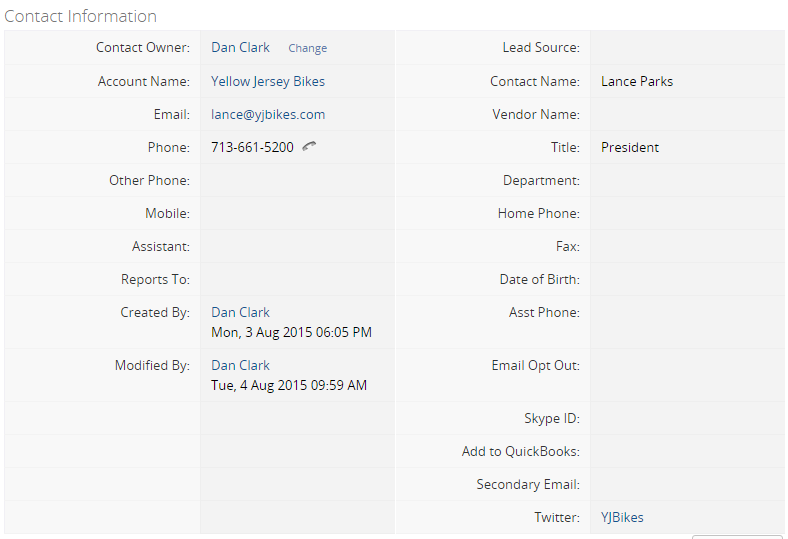
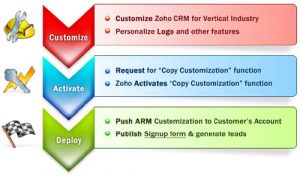
You’ll probably think this is a crazy offer, but it’s real: Susan will apply a ton of customization to your Zoho CRM database for free. No charge, no strings attached. Zoho has a feature that copies customizations from one account to another, and it takes her about two minutes. That’s hours of work, given to you.
Do I qualify?
- You have made no field customizations to your Zoho CRM database (even if you backed them out, it’s too late), and
- You are currently in the Enterprise edition (even in trial mode, and even if you plan to switch editions after the trial).
What changes will be made?
These are not really major changes to the database, but sometimes it is the little things that make all the difference in end-user adoption.
- Module layouts made more logical: Leads and Contacts share the same flow, so the email sits in the same column in both.
- Four custom Activities views (My Today, My Future, My Past Due, My Timeless Tasks) and four Deals views (All Open, All Won, All Lost, Past Expected Close Date).
- More helpful Business Card layouts, and Search layouts with the key fields added, so you can tell which record is which.
- Side-panel links on Leads, Contacts and Accounts: LinkedIn search, Google the person or company, and the local weather.
- Eleven favorite reports with charts grouped by user, filed in “Reports Created by ZCRMHelp.com”.
- A “Team” profile with more permissions than Standard but less than Admin; the “CEO” role renamed “All Access”.
- Data sharing set to Public Read/Write/Delete, the menu rearranged slightly, and just two fields added: Website and Status on Contacts.
The process adds no records to your database, you don’t have to stay on Enterprise afterwards, and we’ll send instructions for changing your password so we no longer have access.
Why are we doing this?
By hand, these changes take more than two hours, and they’re the same every time. Until Zoho makes them the defaults, this is the easy way to pass them on. And if you like what we’ve done, we hope you’ll call when you’re ready for more: marketing with your database, workflows, or integrating other Zoho products.

WHY
Because a well-fitted Zoho keeps clients.
Send me the free customizations

Jason GroganSenior Zoho Developer
Built in Zoho Forms · lands in our Zoho CRM
Ask us why.
Tell us what you’re trying to get Zoho to do, and we’ll tell you which app, which setting, and why. The form goes straight into our own Zoho CRM, and a person answers it.

Ziggy answers in the chat bubble, any hour.
Built in Zoho Forms · lands in our Zoho CRM